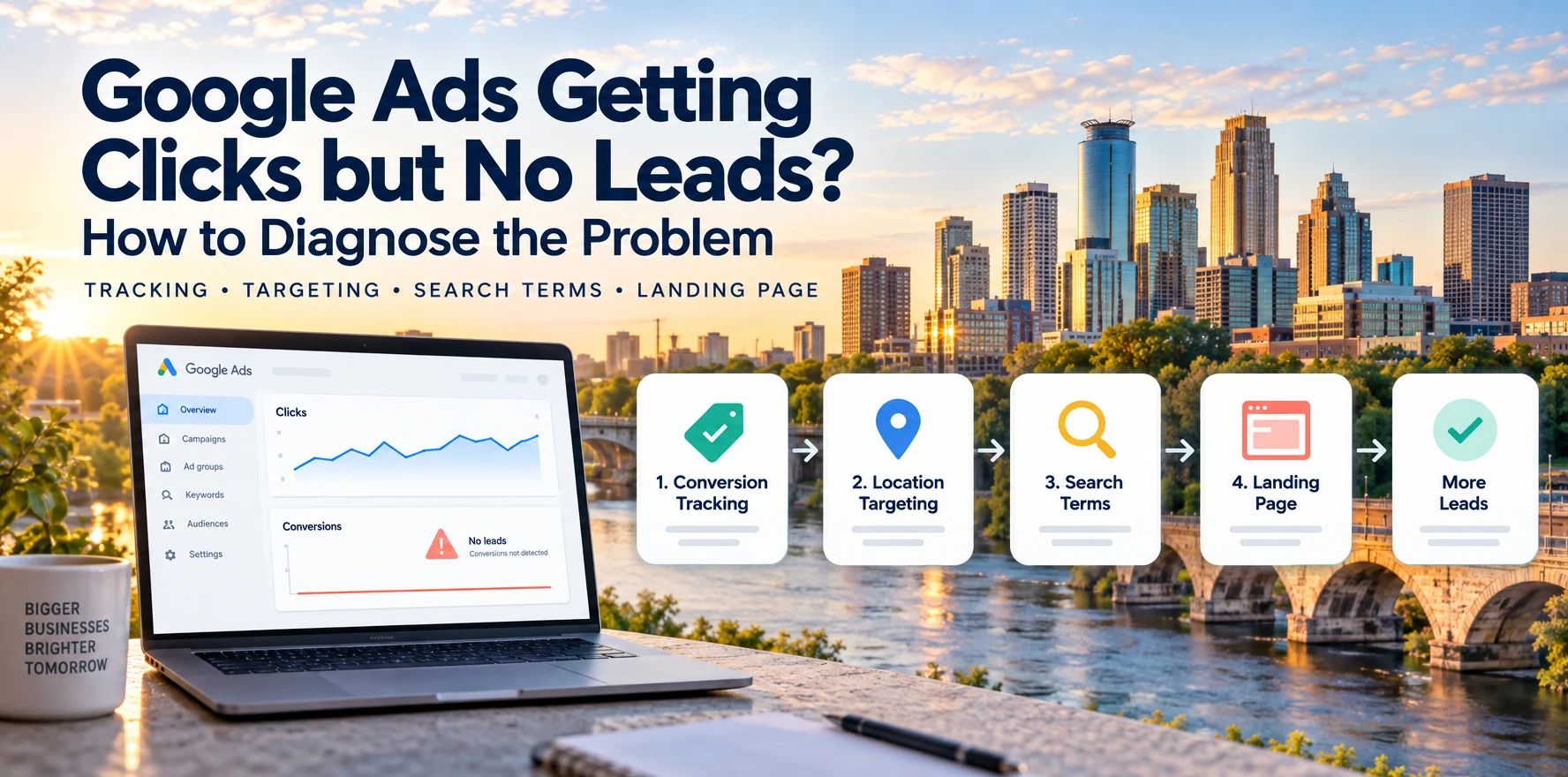
Direct answer
If your Google Ads are getting clicks but no leads or conversions, first check whether people are actually contacting your business. If calls, forms, or bookings are arriving but Google Ads shows zero conversions, investigate measurement and reporting. If no inquiries are arriving, test the contact flow, then review search intent, location targeting, and the landing page before increasing the budget.
For a Minneapolis or Twin Cities service business, I would compare the account with the CRM, booking calendar, form submissions, and call records. A conversion count is useful only when you understand which action it represents and whether that action became a real opportunity.
Key takeaways
- Start with conversion tracking. If Google Ads is optimizing toward page views, button clicks, or another weak signal, the rest of the account can look healthier than it really is.
- Google Ads' default location option can include people who are interested in your target area even when they are not physically there. Local businesses should review whether Presence targeting better fits the service area.
- The Search Terms report shows the actual searches that triggered ads and is one of the most useful places to identify irrelevant intent and negative keywords.
- Quality Score is useful for diagnosing expected clickthrough rate, ad relevance, and landing-page experience, but Google says the displayed 1-to-10 score itself is not an auction input.
- Smart Bidding does not have one universal conversion threshold or learning-period length that applies to every account.
- A campaign that gets clicks but few useful leads often has an intent problem, a measurement problem, or a landing-page problem, not simply a budget problem.
- Separate qualified leads from spam and wrong-fit inquiries so Google Ads can be evaluated against business outcomes rather than raw conversion volume.
Google Ads clicks but no conversions: are leads missing or just untracked?
“No leads” and “no conversions” can describe different problems. A lead is an actual inquiry. A Google Ads conversion is an action recorded according to your tracking setup and attribution settings.
| What you see | What it could mean | First check |
|---|---|---|
| No calls, forms, or bookings in your business records | Visitors are not taking action, or the contact flow is broken | Complete the form or booking flow yourself and check delivery |
| Real inquiries arrive, but Google Ads shows zero conversions | Tracking, attribution, reporting timing, or the selected conversion action needs review | Compare lead sources and test the relevant conversion tag |
| Google Ads reports conversions, but no real inquiries arrive | A click or page visit may be counted as a lead, or delivery may be failing | Identify exactly what triggers each conversion |
| Leads arrive, but most are spam or outside your service area | The campaign has a lead-quality problem | Review search terms, geography, and CRM qualification |
A CRM lead does not automatically belong to Google Ads. Check its source before treating a difference between the two systems as missing ad conversions.
Google recommends using Tag Assistant to test conversion actions. This helps verify that a tag fires when you complete the intended action. A successful test verifies the measurement setup; it does not prove that every inquiry should be attributed to an ad.
Also allow for reporting delays and the time between an ad click and an inquiry. Google's conversion lag guidance explains why recent results may still change. Avoid diagnosing a campaign solely from today's conversion count.
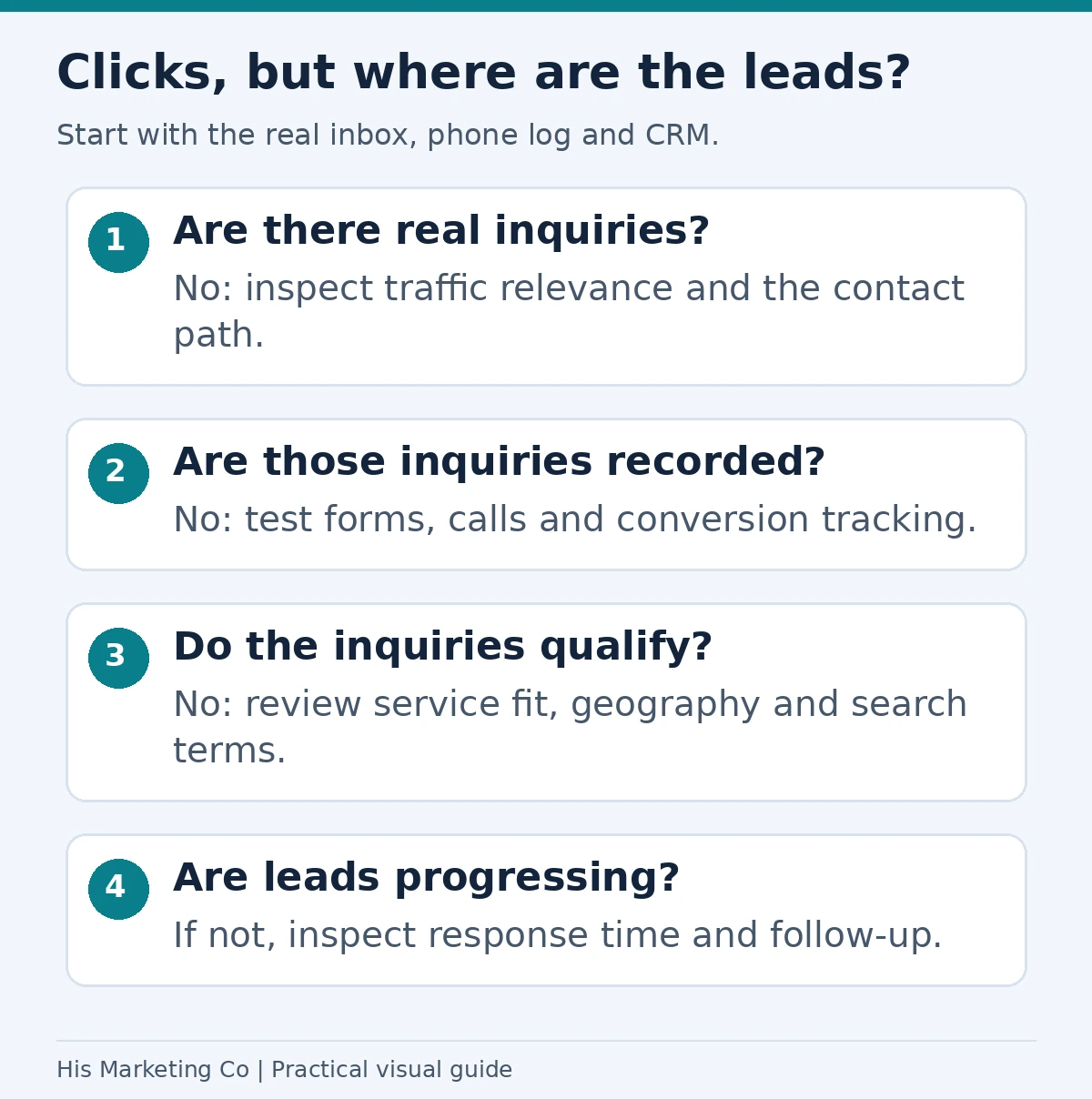
Diagnostic guide: check whether inquiries exist before deciding whether the problem is tracking, traffic relevance, the page or follow-up. Each answer determines the next investigation.
What should you check first when Google Ads gets clicks but no leads?
Use this checklist in order. Record what you find before changing campaign settings.
- Check actual inquiries. Review form submissions, CRM records, bookings, and tracked calls for the same reporting period. Separate genuine inquiries from spam and test entries.
- Test the contact path. Open the landing page on your phone, submit a clearly labeled test inquiry, and confirm it reaches the right inbox or CRM. Check the booking confirmation and phone link too.
- Test measurement. Use Tag Assistant for website conversions, review conversion diagnostics, and confirm the campaign uses the intended goal. A phone-link click is not proof that a connected call occurred.
- Review traffic intent and geography. Look at actual search terms and location reports. Flag searches for services you do not offer and areas you cannot serve.
- Compare the search, ad, and page. Confirm that the offer matches at every step and that visitors can quickly find the next action, service area, and evidence that builds trust.
- Make the smallest justified fix. Repair broken tracking or forms first. Then address the targeting or page problem you found and monitor real lead quality over a period that accounts for your conversion cycle.
For Google's diagnostic options, see its conversion tracking troubleshooting guide. For a complete implementation walkthrough, use our call and form tracking guide.
What does Google Ads troubleshooting actually involve?
When a Minneapolis business tells me Google Ads is "getting clicks but not working," I first separate the problem into a few possible categories.
The campaign may be attracting the wrong people.
The campaign may be attracting the right people but sending them to the wrong page.
The tracking may be recording the wrong action.
The leads may be coming through, but the account is treating qualified opportunities and low-quality inquiries as if they are the same thing.
Those are very different problems, which is why I would not start by changing the budget or switching bid strategies.
The order matters. If your primary conversion action is wrong, Google Ads may be optimizing toward activity that does not produce revenue. If the search terms are wrong, improving the landing page alone will not fix the campaign. If the landing page is weak, buying more traffic may only scale the waste.
What are the most common causes of Google Ads clicks with no leads?
The most common causes I look for are:
| Symptom | What I would investigate first |
|---|---|
| Plenty of clicks, almost no calls or forms | Conversion tracking and landing-page match |
| Conversions in Google Ads, but few real leads | Primary conversion setup and lead quality |
| Spend from irrelevant searches | Search Terms report and negative keywords |
| Clicks from outside the real service area | Location targeting and location options |
| Good traffic but weak form completion | Landing-page clarity, trust, mobile usability, and CTA |
| Leads increased but sales did not | CRM qualification and offline conversion feedback |
| Performance changed after major edits | Change history, bid-strategy learning, tracking, and page changes |
I treat this as a diagnostic sequence rather than a list of isolated tactics.
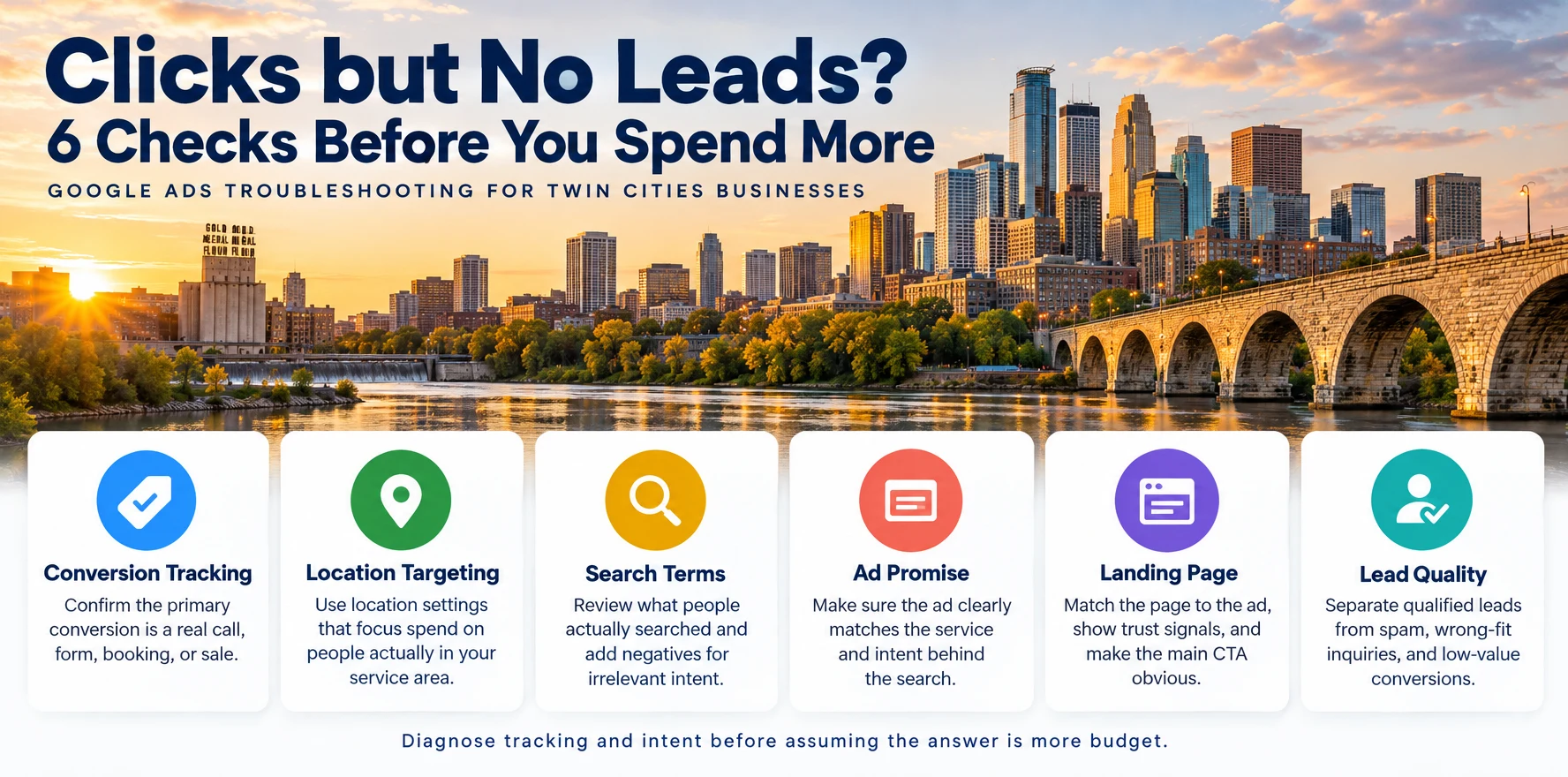
Is Google Ads tracking the right conversion?
This is the first thing I would verify.
Google Ads lets you define primary and secondary conversion actions. Primary actions are normally included in the Conversions column and can be used for bidding when their goal is selected for the campaign.
That distinction matters.
A page view, button click, scroll, or visit to a contact page may be useful for analytics, but I usually would not want Google optimizing a lead-generation campaign toward those actions as if they were completed leads.
For most service businesses, the primary actions should represent meaningful outcomes such as:
- Completed lead forms
- Qualified phone calls
- Appointment bookings
- Purchases
- Other actions that are directly tied to revenue or genuine opportunities
Then I would test those conversions myself.
Submit a clearly labeled test form, test the tracked call setup, and complete the booking flow. Confirm delivery in the business's lead system and verify website tags with Tag Assistant. Then check Google Ads reporting with attribution and reporting delays in mind.
Google's documentation on primary and secondary conversion actions is useful here because the distinction affects both reporting and bidding.
For a deeper setup guide, see How Do I Track Calls and Form Leads from Google Ads?.
Could location targeting be wasting clicks?
Yes, especially for a business that only serves Minneapolis, Saint Paul, or a defined Twin Cities service area.
Google Ads' default location option can include people who are in, regularly in, or who have shown interest in the locations you target.
That can be useful for some businesses. It can also be too broad for a local service company.
Google provides a more restrictive Presence option for advertisers who only want to target people likely to be physically within the selected locations.
I would review:
- The cities, ZIP codes, or radius targets in the campaign
- The campaign's Location options
- Actual geographic performance
- Whether the business truly serves every area being targeted
A Minneapolis contractor that only works within part of the metro should not automatically treat the entire Twin Cities area as one interchangeable market.
Google's own guidance explains how to prevent clicks outside geo-targeted locations.
If budget is limited, tightening geography can sometimes be more useful than simply raising spend.
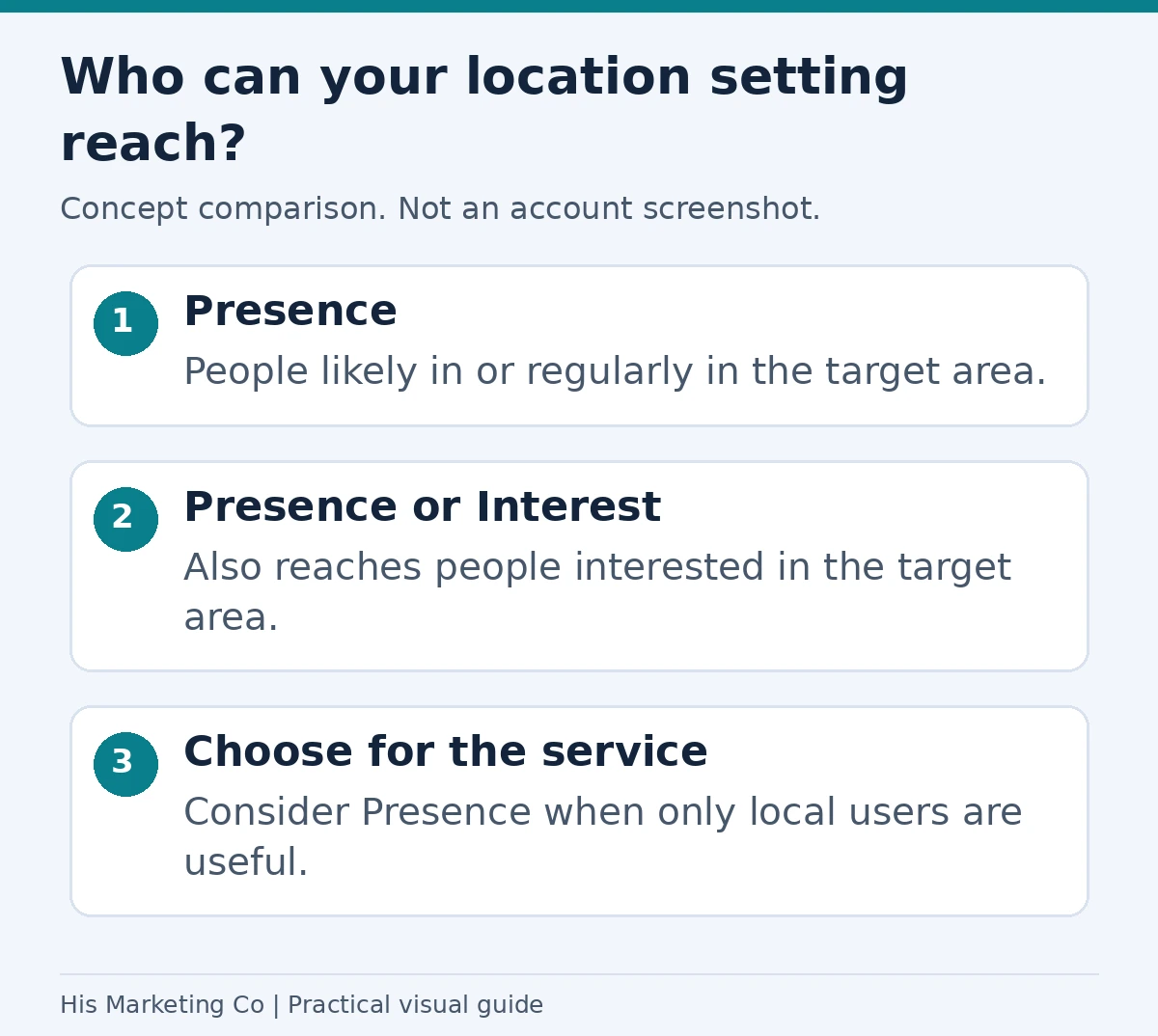
Concept comparison: Presence focuses on users likely in or regularly in the area; Presence or Interest also includes interest in that area. Choose for the business model and review actual lead locations. Location detection is not perfect. Google’s location guidance.
Are the wrong search terms triggering the ads?
Keywords and search terms are not the same thing.
Your keyword is what you add to the campaign. The search term is what the person actually typed.
Google's Search Terms report shows the searches that triggered your ads. That report is where I would look for searches that are technically related to a keyword but are not commercially useful for the business.
Examples might include people searching for:
- Jobs
- Free information
- DIY instructions
- Services you do not provide
- Locations you do not serve
- Competitors when that is not part of your strategy
- Research queries with little buying intent
Google specifically recommends using the Search Terms report to find irrelevant searches and add them as negative keywords.
I would review the report regularly rather than treating negative keywords as a one-time setup task.
Google's guide to using the Search Terms report for negative keyword ideas explains the process directly.
For local accounts, this is often where the difference between "traffic" and "useful traffic" becomes obvious.
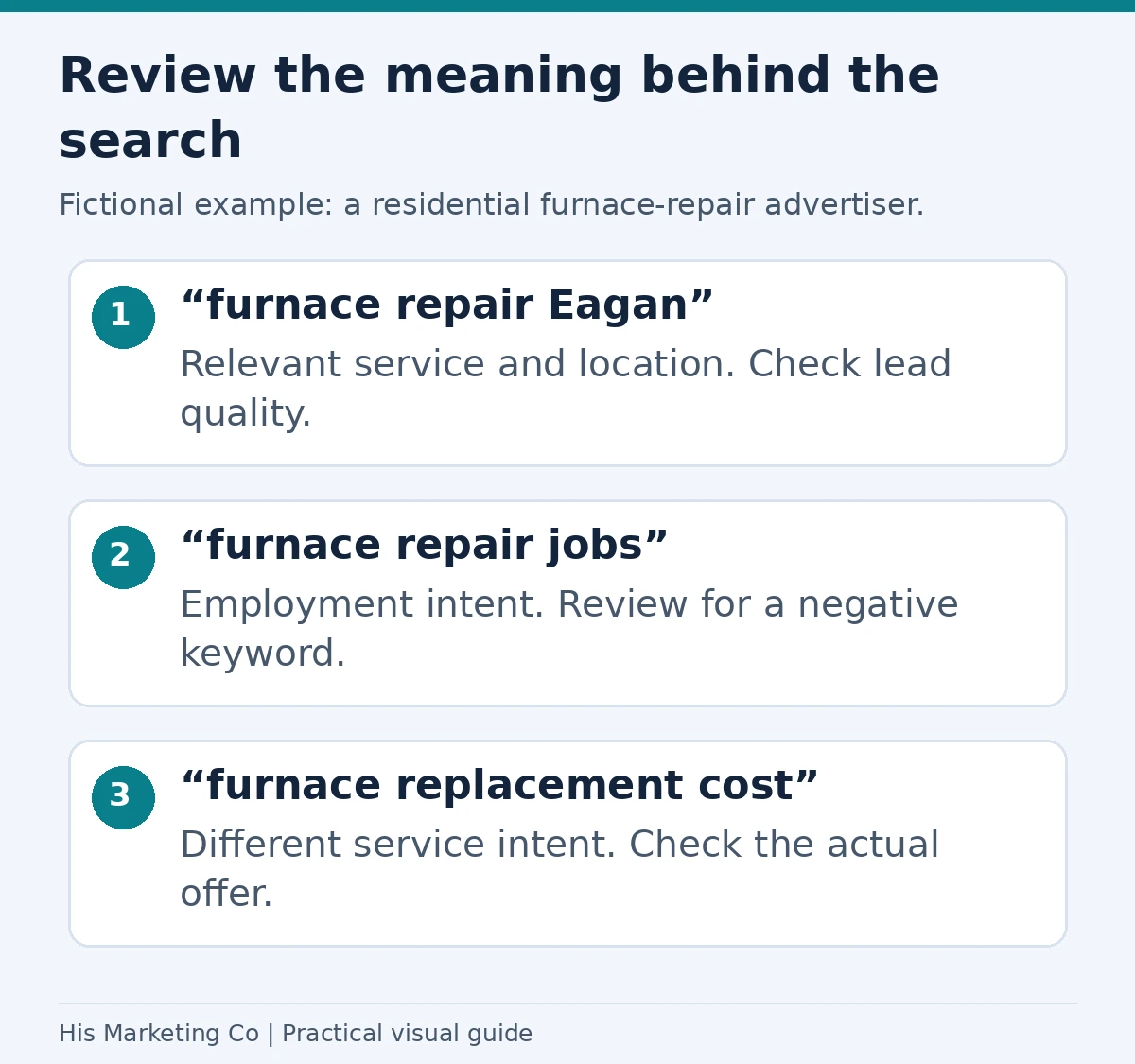
Fictional search-term review for a residential furnace-repair advertiser. Relevance depends on services actually offered. Review the full query and negative-keyword match behavior before excluding traffic.
Does the ad match what the searcher actually wants?
A click does not mean the campaign matched intent well.
Someone can click an ad because the headline looks relevant, then immediately realize the offer does not match what they need.
I would compare three things:
If someone searches for emergency furnace repair in Minneapolis, clicks an ad about emergency furnace repair, and lands on a generic HVAC homepage with six unrelated services, the experience becomes less focused at exactly the point where the visitor is deciding whether to call.
The closer those three pieces line up, the easier it is for the visitor to understand that they are in the right place.
Is the landing page causing the problem?
Sometimes the advertising is doing its job and the page is where the lead is lost.
A useful paid-search landing page should make the next step obvious.
I look for:
- A headline that matches the service or offer in the ad
- A clear primary call to action
- A visible phone number when calls matter
- A short, usable form
- Mobile-friendly layout
- Trust signals such as reviews, credentials, or recognizable proof
- Clear service-area information
- Enough detail to answer the objections that would stop someone from contacting the business
- Fast, reliable page loading
The goal is not to remove every element from the website. The goal is to remove friction between the searcher's intent and the conversion action.
Google includes landing-page experience as one of the three components used in its Quality Score diagnostic.
That does not mean raising the displayed Quality Score from one number to another guarantees a specific CPC reduction. It means landing-page relevance and usefulness are important parts of diagnosing the overall ad experience.
For a practical review of the offer, local proof, contact path, and mobile experience, use my Minneapolis service-business landing-page checklist.
What does Quality Score actually tell you?
Quality Score is frequently misunderstood.
Google reports a 1-to-10 Quality Score for Search keywords based on three components:
- Expected clickthrough rate
- Ad relevance
- Landing-page experience
Google also says the Quality Score number itself is a diagnostic tool and is not an input in the ad auction.
So I would not use a rule such as "you need a Quality Score above 5 before your campaign can generate leads" or "raising Quality Score will cut CPC by 50%."
Instead, I would use the components to ask better questions.
Is the ad relevant to the keyword?
Does the visitor see a useful landing page?
Is the ad likely to earn engagement from people making that search?
Google's Quality Score documentation explains that distinction.
Should you worry about Smart Bidding's learning period?
You should account for it, but I would not apply one fixed number of days or conversions to every campaign.
Google says Smart Bidding learning time is affected primarily by:
- The number of conversions
- The length of the conversion cycle
- The bid strategy being used
Google also notes that calibration can take a few conversion cycles, typically one to two, although the amount of existing conversion data can affect how quickly the strategy adjusts.
That is different from saying every campaign needs 15, 30, or another fixed number of monthly conversions before Smart Bidding can work.
When troubleshooting a recent change, I would look at the campaign's actual bid-strategy status, conversion cycle, change history, and data volume instead of relying on a universal waiting period.
How do you tell whether the leads are actually qualified?
Raw conversion volume can hide a bad campaign.
A business may receive forms or calls that are:
- Spam
- Outside the service area
- Looking for a service the company does not provide
- Price-shopping with no realistic fit
- Existing customers looking for support
- Vendors or job seekers
- Otherwise unlikely to become revenue
If all of those are reported back to Google Ads as equally valuable conversions, the account can optimize toward volume rather than quality.
I prefer to connect the ad platform to the business outcome.
That can mean recording whether a lead was:
- New
- Qualified
- Booked
- Sold
- Disqualified
Then, where appropriate, those later-stage outcomes can be imported back into Google Ads.
That is why I treat lead tracking and qualification as part of campaign optimization, not just reporting.
What should you check each month?
For a local lead-generation account, I would regularly review:
Primary conversions
Confirm that calls, forms, bookings, or other meaningful actions are still tracking correctly.Search terms
Find irrelevant searches and add negatives where appropriate.Location performance
Check whether spend is going to the areas the business actually wants to serve.Landing pages
Test forms, phone links, mobile layout, loading, and the connection between ad promise and page content.Lead quality
Compare Google Ads conversions with CRM outcomes.Major account changes
Review change history before assuming a sudden performance shift happened for no reason.
This is a better recurring troubleshooting routine than watching clicks alone.
When should you rebuild instead of keep troubleshooting?
Sometimes the problem is structural.
I would consider a larger rebuild when the campaign has:
- Unrelated services combined into one broad ad group
- Search terms that consistently miss the intended service
- Conversion tracking built around weak actions
- Multiple duplicate or conflicting conversion goals
- Landing pages that cannot support the campaign's offers
- Geographic targeting that does not reflect the actual service area
- No practical way to tell which leads became qualified
At that point, patching individual settings may take more time than rebuilding the account around cleaner intent and measurement.
The goal is not to rebuild for the sake of rebuilding. It is to make sure campaign structure, targeting, ads, landing pages, and conversions all support the same business objective.
Should you increase the budget when clicks are not producing leads?
Not until you know what is wrong.
More budget can help scale a campaign that is already producing qualified leads at an acceptable cost.
It does not automatically fix poor search intent, incorrect tracking, weak landing pages, or low-quality leads.
Before increasing spend, I would ask:
- Are we reaching the right searches?
- Are we reaching the right geography?
- Are we measuring real leads?
- Are those leads qualified?
- Does the landing page match the ad?
- Can the business profitably acquire more leads at the current cost?
If the answers are strong, budget becomes a scaling question.
If they are not, spending more can simply buy more of the same problem.
For the cost side of that decision, see How Much Do Google Ads Management Services Cost in Minneapolis?.
What should you do next?
Start with tracking.
Confirm that the primary conversion is a real business outcome. Then review location targeting and the Search Terms report. After that, compare the searcher's intent with the ad and landing page. Finally, compare the conversions in Google Ads with the leads that actually became qualified.
That sequence usually tells you whether the account has a traffic problem, a measurement problem, a conversion problem, or a lead-quality problem.
If you want help managing your Google Ads, I connect campaign optimization with landing pages, conversion tracking, and lead-quality review.
For the full Minneapolis strategy, see my Google Ads for Minneapolis Businesses guide.
If you want me to review the account itself, contact His Marketing Co or book a strategy call.
Methodology
Platform guidance in this article comes from Google Ads Help documentation covering primary and secondary conversion actions, location targeting, the Search Terms report, Quality Score, and Smart Bidding learning periods. The October 3, 2026 update also uses Google's guidance on Tag Assistant, conversion tracking diagnostics, and conversion lag to distinguish missing leads from missing reported conversions.
I use those platform definitions to separate documented Google Ads behavior from rules of thumb. I do not use a universal Quality Score target, fixed conversion threshold, or fixed learning-period length as a requirement for every account.
The troubleshooting sequence is my practical framework for local lead-generation campaigns: verify measurement first, then targeting and intent, then the landing page, and finally lead quality.