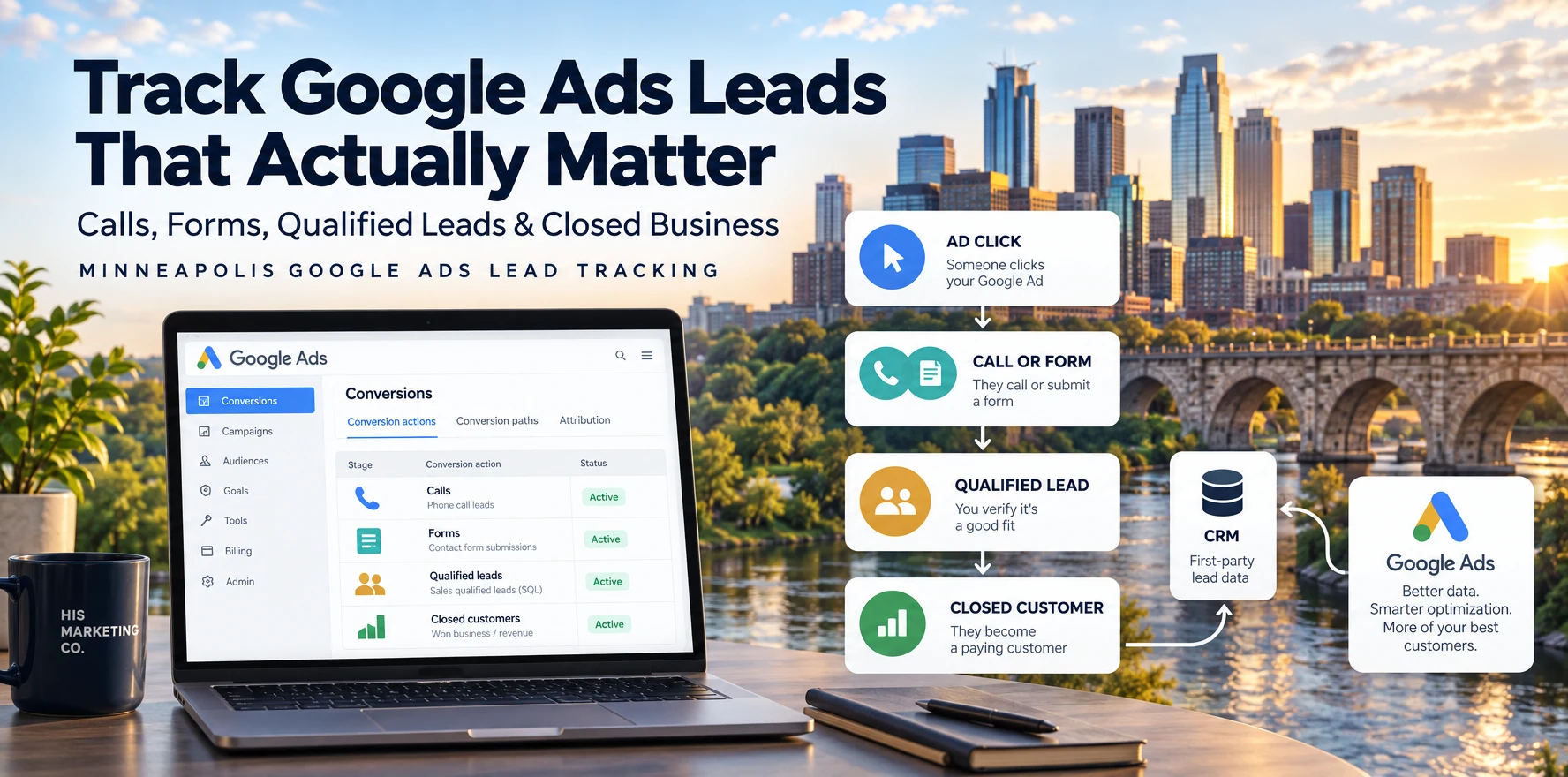
Direct answer
To track calls and form leads from Google Ads properly, I would measure the initial call or form submission, then connect that lead to what happened afterward: qualified, booked, sold, or disqualified. For most lead-generation businesses, the goal is not simply to tell Google that a form was submitted. It is to give Google better information about which inquiries actually became valuable business outcomes.
For a Minneapolis or Twin Cities service business, that usually means call tracking, form conversion tracking, CRM qualification, and enhanced conversions for leads or another supported first-party data connection back into Google Ads.
Key takeaways
- Track phone calls and forms separately so you know which campaign, keyword, and ad generated each type of inquiry.
- Google Ads can track calls from ads and calls made after an ad click using Google forwarding numbers.
- The minimum call duration for a conversion should reflect what a meaningful call looks like for your business, not a universal 30- or 60-second rule.
- Do not treat every form fill or call as equally valuable. Record whether the lead became qualified, booked, sold, or disqualified.
- Google now recommends enhanced conversions for leads as the upgraded approach to offline lead measurement.
- Google Ads Data Manager can connect first-party CRM or lead data back to Google Ads.
- Google recommends using Qualified lead or Converted lead as conversion goals when setting up enhanced conversions for leads.
- Better lead-quality data gives the account a more useful optimization signal than raw form volume alone.
What's the difference between a lead and a qualified lead?
A lead is someone who contacted the business.
A qualified lead is someone who actually fits what the business can sell.
For a Minneapolis service business, qualification might include:
- The person is in the service area
- They need a service you actually provide
- Their project or need fits the business
- Their timeline is realistic
- They are a prospective customer rather than a vendor, job seeker, or existing customer looking for support
That distinction matters because Google Ads only knows what you send back to it.
If every spam submission, wrong-number phone call, out-of-area inquiry, and legitimate sales opportunity is counted as the same conversion, the platform has no clean way to distinguish the leads you want from the leads you do not.
That is why I treat lead qualification as part of conversion tracking.
Why isn't tracking the initial form fill enough?
A form submission tells you that someone completed the form.
It does not tell you whether that person became a real opportunity.
The same problem applies to phone calls.
A tracked call might be a serious prospect, a wrong number, an existing customer, a recruiter, or someone asking about a service you do not offer.
If you only measure the first action, the account can look strong while the sales pipeline remains weak.
The better measurement path is:
Ad click → Call or form → Qualified lead → Booked or sold outcome
That lets you compare advertising activity with actual business results.
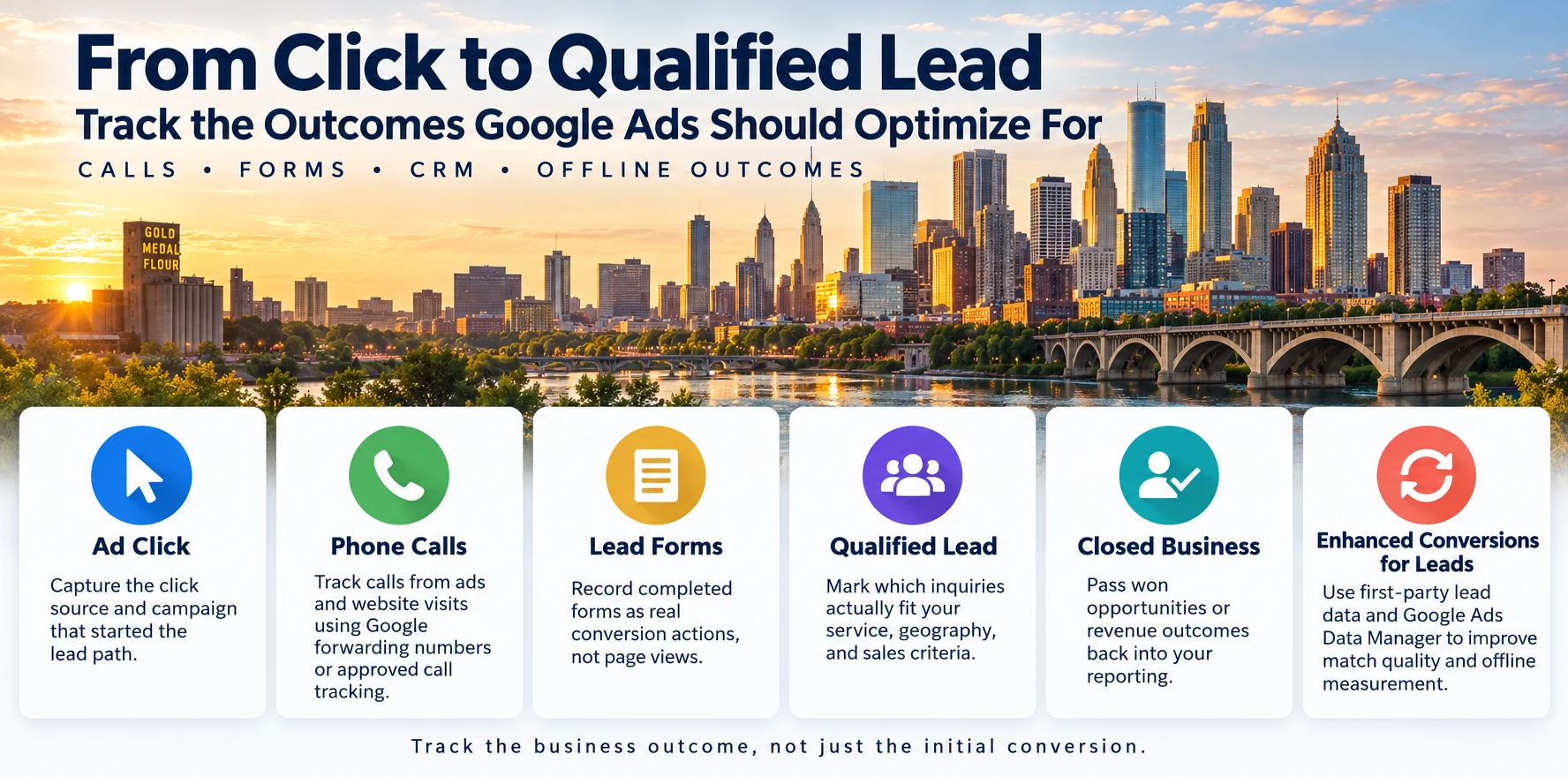
How do you track phone calls from Google Ads?
Google Ads supports several types of phone-call conversion tracking.
You can track calls made directly from ads, calls to a phone number on your website after an ad click, and other call interactions depending on the setup.
Google forwarding numbers are one way Google connects the call back to the campaign. When call reporting is enabled, Google can record details such as the campaign, ad group, call duration, and whether the call connected.
Google's documentation explains that advertisers set a minimum call length, and calls that meet or exceed that duration can be counted as conversions.
The important part is choosing a threshold that fits your actual sales process.
I would review your real call history and ask:
- How long are wrong numbers usually?
- How long do legitimate inquiries usually last?
- Does a meaningful lead require a conversation, or can a short call still be valuable?
- Are calls being answered consistently?
A 20-second call could be worthless for one business and meaningful for another.
Google's documentation on phone call conversion tracking and call reporting explains how the platform handles these conversions.
How do you track form leads correctly?
A form conversion should fire when the lead action actually happens.
That usually means tracking a successful form submission or confirmation event rather than:
- A visit to the contact page
- A click into a form field
- A button click that does not confirm successful submission
- A page view that may or may not represent a completed lead
I would test the entire path myself.
Submit the form from an ad-driven session, confirm the lead reaches the CRM or inbox, and make sure the conversion appears correctly in Google Ads.
Then compare the Google Ads conversion count with the actual leads received.
If the numbers do not line up, fix measurement before making bidding or budget decisions.
How should you track qualified leads in a CRM?
The CRM does not need to be complicated.
The important part is having a consistent stage or field that records what happened to each lead.
A useful lead pipeline might look like this:
| Stage | What it means |
|---|---|
| New lead | A new call or form was received |
| Qualified lead | The inquiry fits the business |
| Appointment or opportunity | The lead moved into the sales process |
| Closed customer | The lead became revenue |
| Disqualified | The inquiry was spam, wrong fit, out of area, or otherwise unusable |
The labels can be different in your CRM. Consistency matters more than the exact wording.
I would also capture the advertising identifiers and source data needed to connect the lead back to Google Ads.
That connection is what makes later-stage measurement possible.
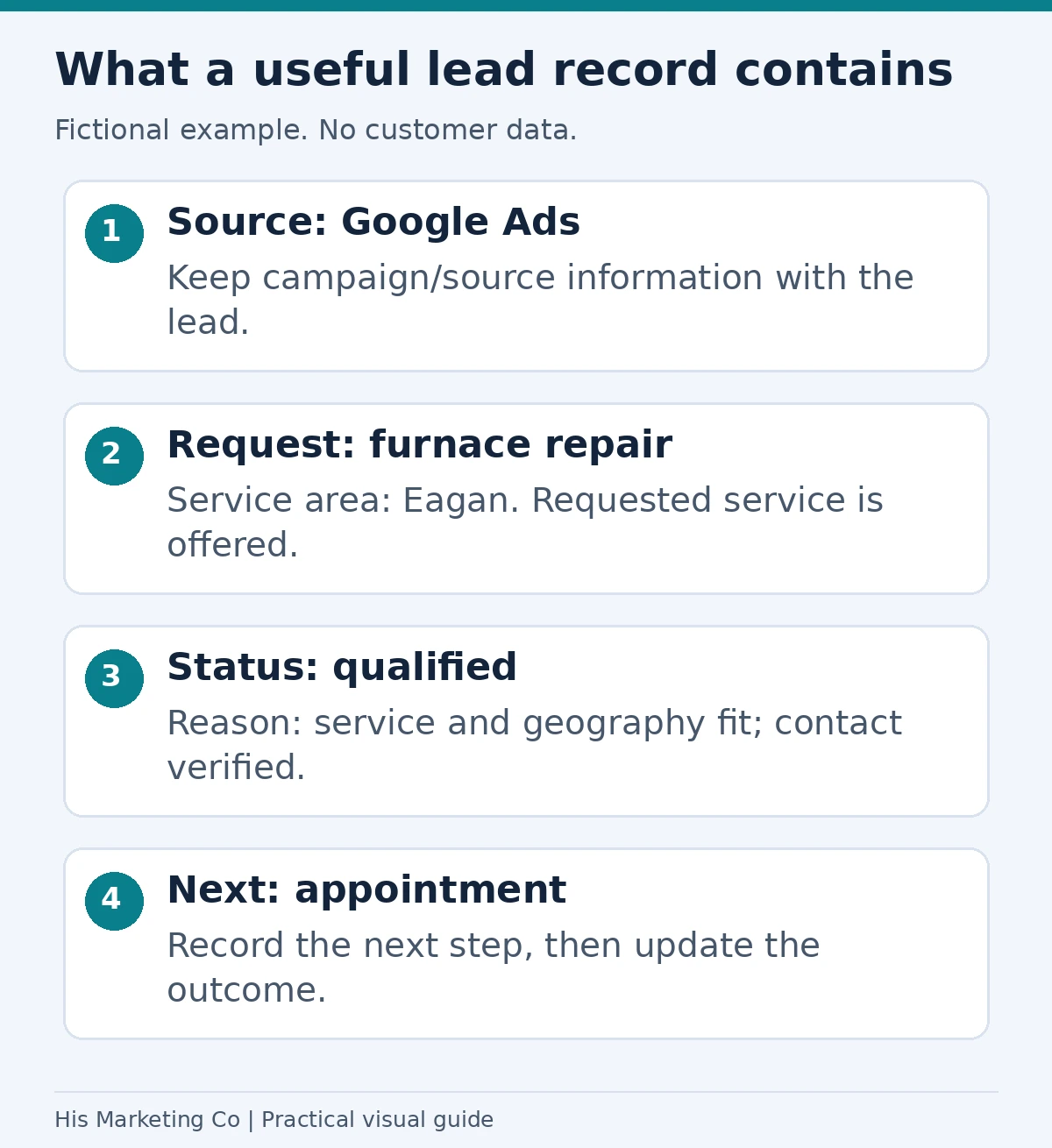
Fictional CRM example: record the source, requested service, service area, qualification decision and next step. A qualified lead is not automatically a closed sale.
What are enhanced conversions for leads?
Enhanced conversions for leads are Google's upgraded approach to measuring offline outcomes from online leads.
Google describes the feature as an improved version of offline conversion import that uses first-party user-provided data, such as an email address or phone number submitted through a lead form, to help match later CRM outcomes back to the original advertising interaction.
Google says this can improve conversion measurement accuracy and support cross-device and engaged-view conversion measurement.
The basic flow is:
- Someone clicks an ad.
- They submit a form or become a lead.
- Your site captures the first-party data used for matching.
- Your CRM later records an outcome such as Qualified lead or Converted lead.
- That offline outcome is sent back through Google Ads Data Manager, the Google Ads API, or a supported integration.
Google currently recommends enhanced conversions for leads over starting with legacy offline conversion imports.
You can read Google's explanation in About enhanced conversions for leads.
Why is Google Ads Data Manager important?
Google Ads Data Manager is Google's current interface for connecting first-party business data to Google Ads.
For lead-generation accounts, that can include CRM outcomes and offline lead events.
Google specifically recommends Data Manager for businesses upgrading from older offline conversion-import workflows.
That matters because a lead may convert days or weeks after the original ad click.
The initial form tells Google someone raised their hand.
The CRM outcome tells Google whether that person was actually worth acquiring.
For a service business, that second signal is usually more useful.
Should you still use GCLIDs?
They can still be useful.
Google recommends continuing to include Google Click IDs when possible because they help attribute offline conversions back to specific ad interactions.
Enhanced conversions for leads adds first-party matching data on top of that measurement process.
So I would not think of enhanced conversions as "GCLIDs no longer matter."
The more accurate framing is that Google now supports a stronger combination of first-party matching data and existing click identifiers.
What conversion goals should you send back?
Google recommends using goals such as Qualified lead or Converted lead when setting up enhanced conversions for leads.
Those outcomes are much closer to the real business objective than a generic page visit or button click.
For many service businesses, I would consider tracking several stages:
- Lead submitted
- Qualified lead
- Appointment booked
- Converted lead or closed customer
- Revenue value, where appropriate
Not every stage has to be a primary bidding goal.
The account should be structured so Google knows which outcomes matter most.
How should primary and secondary conversions be used?
Primary conversions are the actions you generally want Google Ads to optimize toward when the associated goal is used for bidding.
Secondary conversions can still be useful for observation and reporting without giving them the same role in automated bidding.
For example, a business might track:
- Form submission as a primary conversion while the account is getting established
- Qualified lead as a later-stage primary goal once CRM feedback is reliable
- Phone-button click as a secondary diagnostic event
- Page engagement as secondary measurement
The exact setup depends on the sales process and data volume.
What I would avoid is making every measurable action equally important.
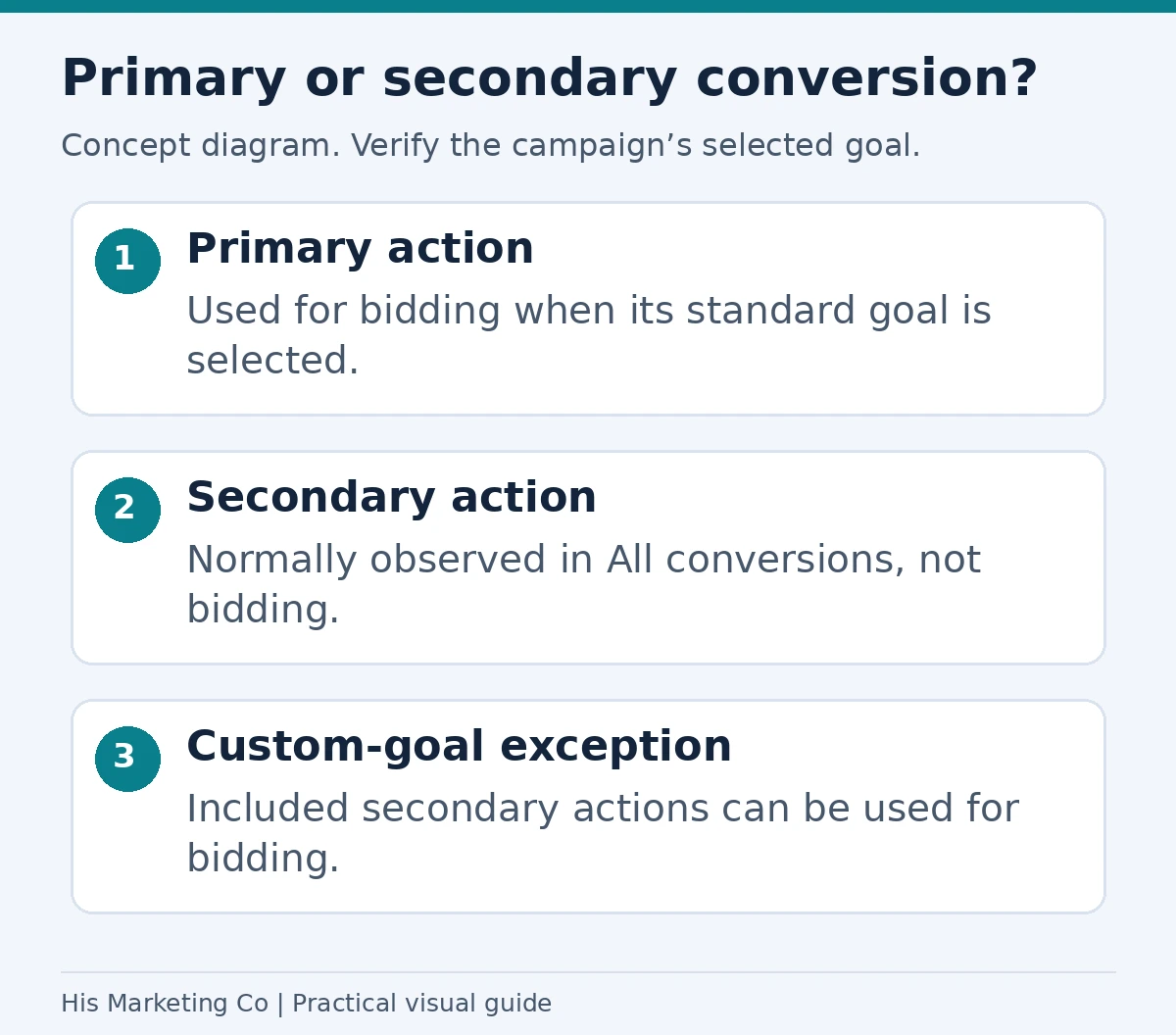
Under standard goals, primary actions can guide bidding when the campaign uses that goal; secondary actions are normally observational. Custom goals can use secondary actions for bidding. Google’s conversion-action guidance.
What does a good lead-tracking funnel look like?
For a local Google Ads account, I want the funnel to connect marketing data with sales data.
A practical version looks like this:
Ad click
Google Ads knows the campaign, keyword, ad, device, and other advertising context.
Call or form
The person becomes a lead.
Qualified lead
A human or CRM process confirms that the inquiry is a legitimate fit.
Opportunity or booking
The lead moves deeper into the sales process.
Closed customer
The business knows the advertising produced revenue.
Once those outcomes are connected, the account can be evaluated on more than raw conversions.
How quickly should leads be qualified?
I would not use a universal 24- or 48-hour rule.
The business should qualify leads as quickly and consistently as its real sales process allows.
For some businesses, that may be the same day.
For others, qualification may require a callback, estimate, consultation, or several touches.
The important part for advertising measurement is that the process is consistent and that the eventual outcome gets recorded.
Fast follow-up is often operationally valuable, but it is different from saying Google Ads requires every lead to be tagged within a fixed number of hours.
Does Smart Bidding require a minimum number of leads?
I would not apply a blanket "15 to 30 conversions per month" requirement to every account.
The usefulness of automated bidding depends on the strategy, conversion data, conversion delay, account history, and quality of the signals being measured.
More data can help an automated system learn, but poor-quality conversion data is not automatically better because there is more of it.
I would rather give Google fewer reliable qualified-lead signals than a larger volume of page views, spam leads, and low-value actions.
That is another reason to improve measurement before chasing a universal conversion threshold.
Should you import closed revenue too?
If the business can reliably connect revenue to the original lead, it can be useful.
This is especially important when some leads are worth much more than others.
For example, two campaigns might each generate ten qualified leads.
If one produces $10,000 in closed revenue and the other produces $50,000, raw lead volume hides a major difference in business value.
Where appropriate, sending conversion values or closed-business outcomes back into the advertising system can make reporting more meaningful.
How do you know if your lead tracking is working?
I would reconcile the systems.
Compare:
- Google Ads conversions
- Call-tracking records
- Form submissions
- CRM lead records
- Qualified leads
- Closed customers or revenue
The numbers will not always be identical because attribution systems have different rules and timing.
But large unexplained gaps are a warning sign.
If Google Ads reports 50 leads and the CRM only received 18, I would investigate before making budget decisions based on the Google Ads number.
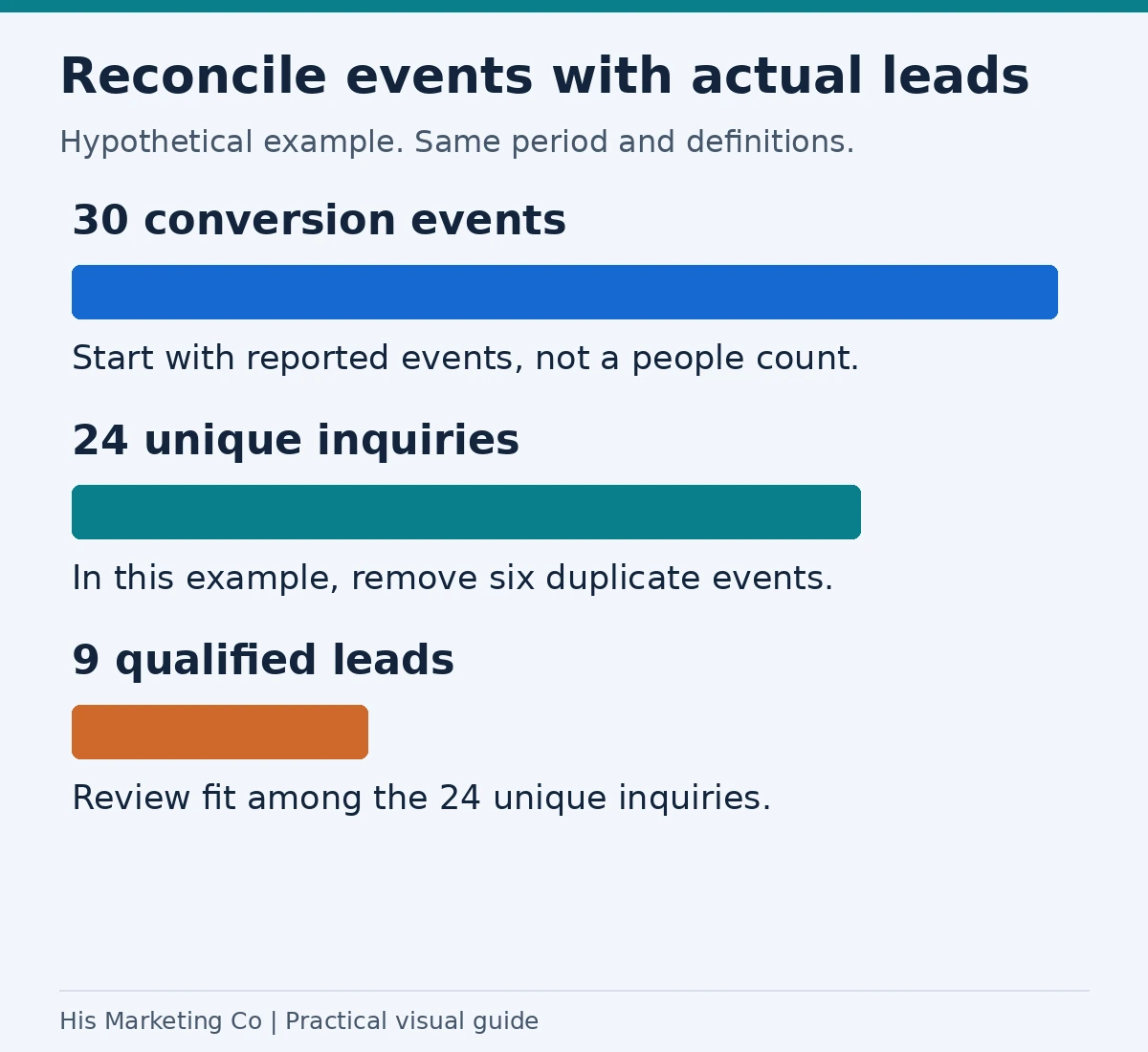
Hypothetical reconciliation: 30 recorded events minus six duplicate events gives 24 unique inquiries, of which nine qualify. Real reconciliations must also account for spam, attribution dates, counting settings and reporting windows.
What should you check every month?
For a Minneapolis lead-generation account, I would review:
- Whether calls are still tracking correctly
- Whether forms are still firing the correct conversion
- Whether spam or duplicate leads are being counted
- Whether qualified-lead stages are being recorded consistently
- Whether Data Manager or CRM imports are still running
- Whether qualified or converted lead goals are receiving data
- Whether campaign decisions are being based on real business outcomes
Tracking is not a one-time setup.
Forms change. Websites get rebuilt. Phone numbers change. CRM fields get renamed. Integrations break.
Measurement should be monitored like any other part of the campaign.
My approach to Google Ads management and optimization connects this ongoing measurement work with campaign decisions, so qualified leads help guide what changes next.
Measurement also depends on a working contact path. My landing-page checklist for Minneapolis service businesses covers usable forms, phone links, and service-area information alongside qualified-lead tracking.
How does this connect to Google Ads troubleshooting?
Poor lead tracking can make a healthy campaign look broken.
It can also make a broken campaign look healthy.
If Google Ads shows rising conversions but the business is not seeing more qualified opportunities, the first question should be whether the tracked conversion represents a meaningful business outcome.
That is why lead tracking sits directly inside the troubleshooting process.
See Why Are My Google Ads Getting Clicks but No Leads? for the broader diagnostic framework.
For budgeting and economics, see How Much Do Google Ads Management Services Cost in Minneapolis?.
For the full cluster, see Google Ads for Minneapolis Businesses.
What should you do next?
Start by mapping the lead path you already have.
Identify:
- Where the call or form enters the business
- Where the lead is stored
- How someone decides whether it is qualified
- Where a sale or closed customer is recorded
- Whether those later outcomes can be sent back to Google Ads
Then fix the weakest connection.
If calls are invisible, start with call tracking.
If forms are tracked but qualification is not, build the CRM stages.
If qualification is working but Google only sees the initial form, add enhanced conversions for leads and connect your CRM or first-party data through Google Ads Data Manager.
If you want help building the measurement system around your Google Ads account, contact His Marketing Co or book a strategy call.
Methodology
Platform guidance in this article comes from current Google Ads Help documentation covering phone-call conversion tracking, call reporting, enhanced conversions for leads, Google Ads Data Manager, and the upgrade path from legacy offline conversion imports.
Google currently describes enhanced conversions for leads as the upgraded approach to offline lead measurement and recommends it for businesses using or considering offline conversion imports.
I use those platform definitions to separate documented Google Ads behavior from rules of thumb. I do not use a universal call-duration threshold, fixed lead-qualification deadline, or fixed monthly conversion requirement for every account.