Direct answer
Google Ad Grants rejected your site with "Change the website to load quickly and have clear navigation"? That line is a generic checklist. The real blocker is usually one of five things: slow mobile speed, donate buttons that leave your domain, hidden nonprofit proof, broken links or redirects, or content Google reads as commercial.
Key Takeaways
- The rejection text is boilerplate. A Google Diamond Product Expert calls it "just a generic list" that "might not be the actual problem" (Google for Nonprofits Community, Jul 2026).
- Test on mobile, not desktop. In one July 2026 case the site wasn't fully visible until the 8th second on a phone.
- Fast sites still get rejected: one nonprofit scoring 100 (desktop) and 92 (mobile) in PageSpeed Insights was denied twice.
- If every Donate and Join button sends visitors to another domain, give donations a page on your own site first. Google's website policy says donation links must go to "a secure page dedicated to donations."
- Google names a missing "physical address and Charity ID" (your EIN in the US) as a common reason for rejection.
- The prize is up to $10,000 a month in free search ads, and unused funds don't roll over. Every month you spend in review is money you don't get.
What does the "load quickly and have clear navigation" Ad Grants rejection actually mean?
It means a reviewer decided your website doesn't meet the Ad Grants website policy. It does not mean your site is slow. The full email reads: "Your activation request needs work. Your organization's website doesn't meet the Ad Grants website policy standards." It then lists the same fix for almost everyone: load quickly, clear navigation, substantial up-to-date content, and calls-to-action.
Many 2026 rejections add a second line: "Structure your organization's website to prominently display its non-profit status. Provide a clear description of your organization's mission and activities." That line shows up in both a July 2026 Help thread and an August 2026 Help thread. When you see it, treat nonprofit proof as a likely suspect.
"The items listed are just a generic list, might not be the actual problem."
— Jason King, Ad Grants consultant & trainer and Google Diamond Product Expert, Google for Nonprofits Community
Google's own website policy page lists seven rejection reasons: insufficient unique content, unclear mission, poor navigation or broken links, slow load speed, no HTTPS, disallowed commercial activity, and domain redirects. The email doesn't tell you which one applied, so you have to check all seven.
Why do fast websites still get Google Ad Grants rejected?
Because the reviewer is judging the whole site, not only speed. In the cases below, speed was fine and something else was the blocker.
- A French climate nonprofit with a fast site and plenty of calls-to-action was rejected in September 2026. A commenter who checked the site's HTML found that both main actions left the domain: membership and donations went to a third-party platform, and event links went to another site.
- A Catholic education nonprofit scored 97 to 100 across PageSpeed Insights and was still rejected. The expert review pointed to a gamified site that required sign-in and an age before visitors could see content, plus AI-generated images. He noted he's seeing "an increase in rejections for sites with an AI look and style" (Aug 2026).
- A foundation with near-perfect PageSpeed scores was denied twice. The best guess from a consultant with nearly 20 years of Ad Grants work: the EIN wasn't easy to find (r/nonprofit, Jul 2026).
The takeaway: run the speed test first because it's quick, but don't stop there if it passes.
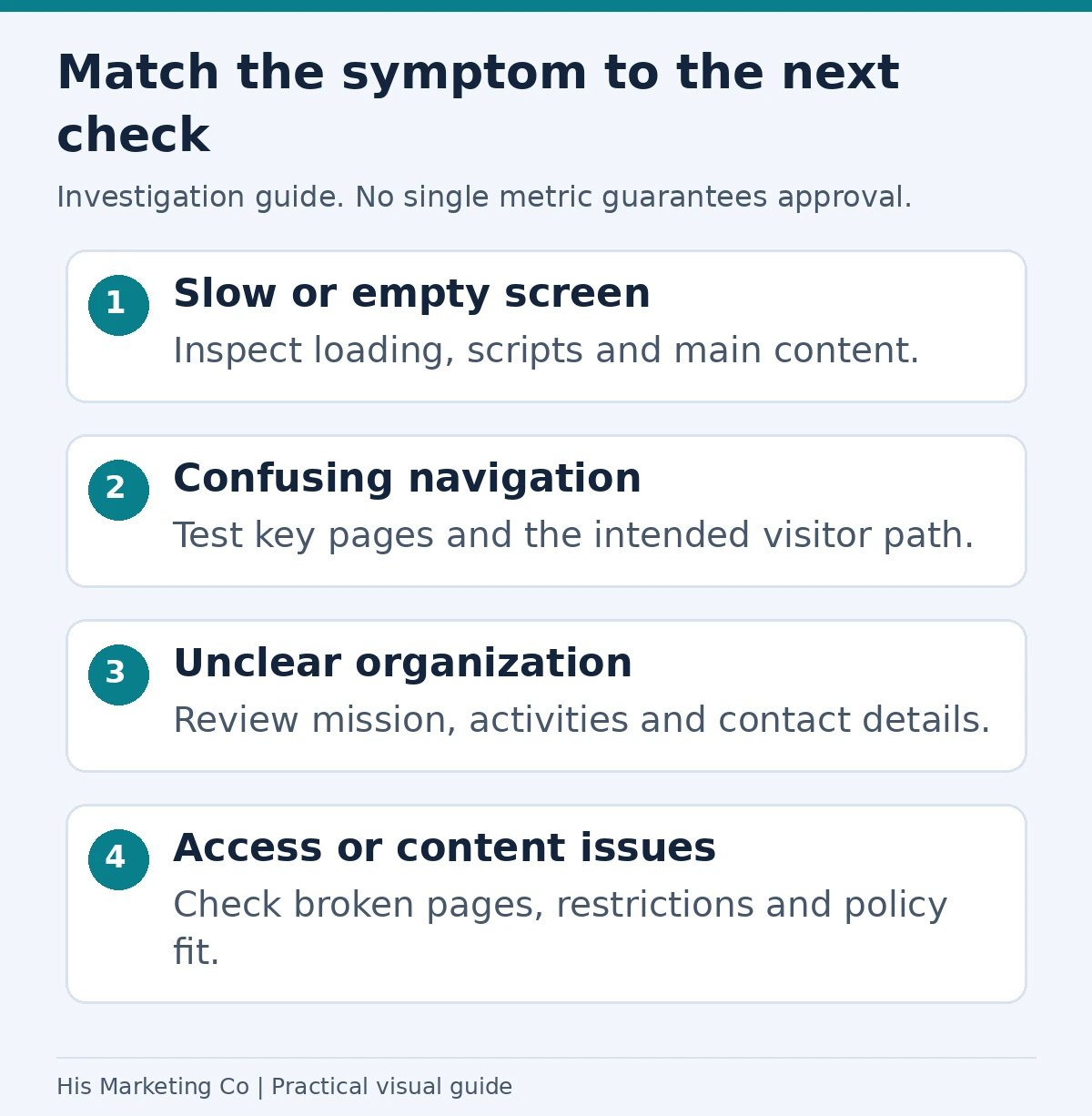
Investigation guide: match the rejection concern to loading, navigation, organizational clarity, technical access and content-policy checks. No single performance threshold or anecdote guarantees approval.
Which fix matches which part of the Ad Grants rejection?
Use this table to map each phrase in the email to what the reviewer checks and how to test it yourself.
| Phrase in the email | What the reviewer likely checked | How to test it | Fix |
|---|---|---|---|
| "Load quickly" | Mobile load time | PageSpeed Insights, mobile tab, filmstrip | Compress images, cut page builders' extra scripts, better hosting |
| "Clear navigation" | Menu works, links aren't broken, content is reachable without sign-in | Click every menu and footer link on a phone | Remove dead links, unhide content behind logins |
| "Calls-to-action" | Donate / Volunteer / Join lead somewhere real on your domain | Click every button and note which domain you land on | On-domain donate page, then hand off to the processor |
| "Substantial, up-to-date content" | Several pages of original text about programs | Count pages with 300+ words of your own writing | Add program pages, recent news, impact numbers |
| "Display its non-profit status" | EIN, 501(c)(3) statement, physical address, mission | Can a stranger find your EIN in 10 seconds? | Put EIN + address in the footer and on About |
| (not in the email) | HTTPS, redirects, commercial activity | Load http:// version, check the submitted URL doesn't redirect | Force HTTPS, submit the final URL, disclose sales |
Fix 1: How fast does your site need to be for Ad Grants approval?
Google doesn't publish an Ad Grants speed score. The policy only says sites that perform "poorly in tools like PageSpeed Insights, particularly on mobile" get rejected. In practice, aim for Google's own Core Web Vitals "good" thresholds: Largest Contentful Paint within 2.5 seconds, Interaction to Next Paint of 200 ms or less, and Cumulative Layout Shift of 0.1 or less.
Always run the mobile test. In the July 2026 ukulele-nonprofit case, Lighthouse said the site loaded "somewhat quickly," but the mobile filmstrip showed the page wasn't properly visible until the eighth second. The recommended fix was image optimization.
One practitioner on r/nonprofit said a 27/100 mobile score "would cause an Ad Grant rejection" and advised getting safely above 50. That's a rule of thumb from experience, not a Google number. Treat it as a floor.
Speed checklist
- Resize hero images to the width they display at, and serve WebP.
- Remove unused plugins, sliders, chat widgets and embedded social feeds from the homepage.
- Check time to first byte. Slow hosting was the main issue in one 2024 case.
- On Wix or Squarespace, simplify the homepage. Squarespace sites can get approved, but builder sites often score in the 50s on mobile.
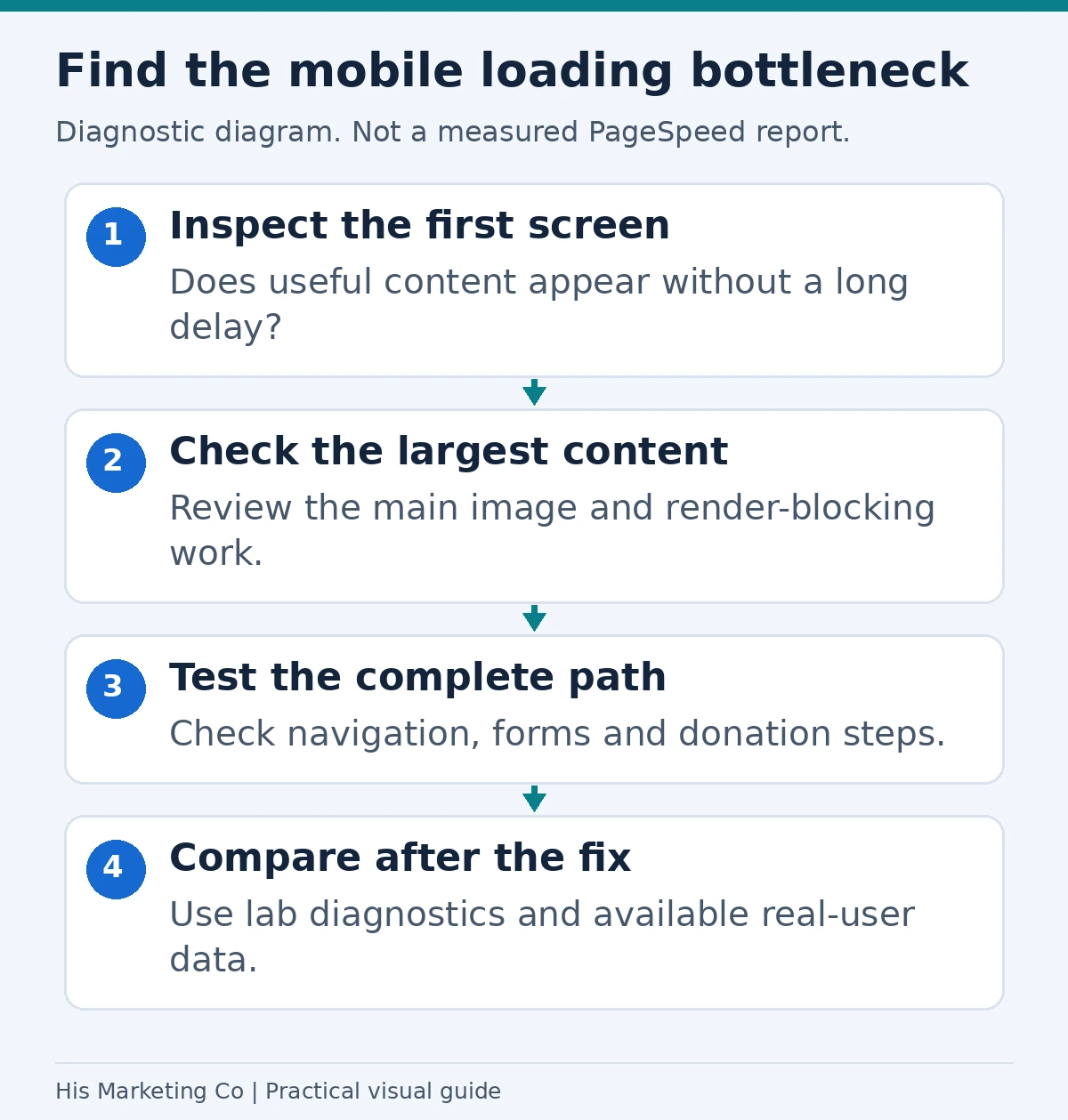
Performance-review diagram, not measured site results. Inspect the first screen, main content and complete interaction path, then compare after fixing the bottleneck. A speed score alone does not guarantee Ad Grants approval.
Fix 2: Do donate buttons that leave your domain cause an Ad Grants rejection?
They can, when every main button sends people off-site. Using a third-party processor is allowed. A commenter on the French nonprofit's thread said there's "absolutely no problem" linking to one, as long as your ads don't point straight at it. The trouble starts when a reviewer clicks Donate, Join and Events and never stays on your site.
Google's policy gives two related rules. The submitted domain "cannot automatically redirect visitors to a different web address, a third-party platform (like a donation portal), or a social media page." And donation links "must work and go to a secure page dedicated to donations."
The fix is a /donate page on your own domain. It should say what a gift funds, show your EIN, and state that the nonprofit receives the donation. Then embed the processor's form or link out from there. You'll need that page anyway: it becomes the landing page for donation ads, and it's where you track Ad Grant donations as conversions.
Put payment or membership terms on the page where you ask for money. In the August 2026 case, the site said all proceeds went to the nonprofit, but not on the donate page itself, and the expert flagged it.
Fix 3: Is your nonprofit status obvious to an Ad Grants reviewer?
If a stranger can't tell you're a registered nonprofit within about ten seconds, fix that first. Google's policy lists an "unclear mission" and missing "physical address and Charity ID" as rejection reasons.
- Put "[Org name] is a 501(c)(3) nonprofit, EIN XX-XXXXXXX" plus your street address in the site footer, as plain text rather than an image.
- Open the homepage with one sentence on who you serve and how.
- Add an About page with your board, your 990 or annual report, and program outcomes. A 2024 r/nonprofit reply suggested exactly this for a Wix arts nonprofit that was told its site was "light on content."
- Use real photos of your programs. Given the August 2026 note about AI-looking sites, stock and AI images are riskier than they used to be.
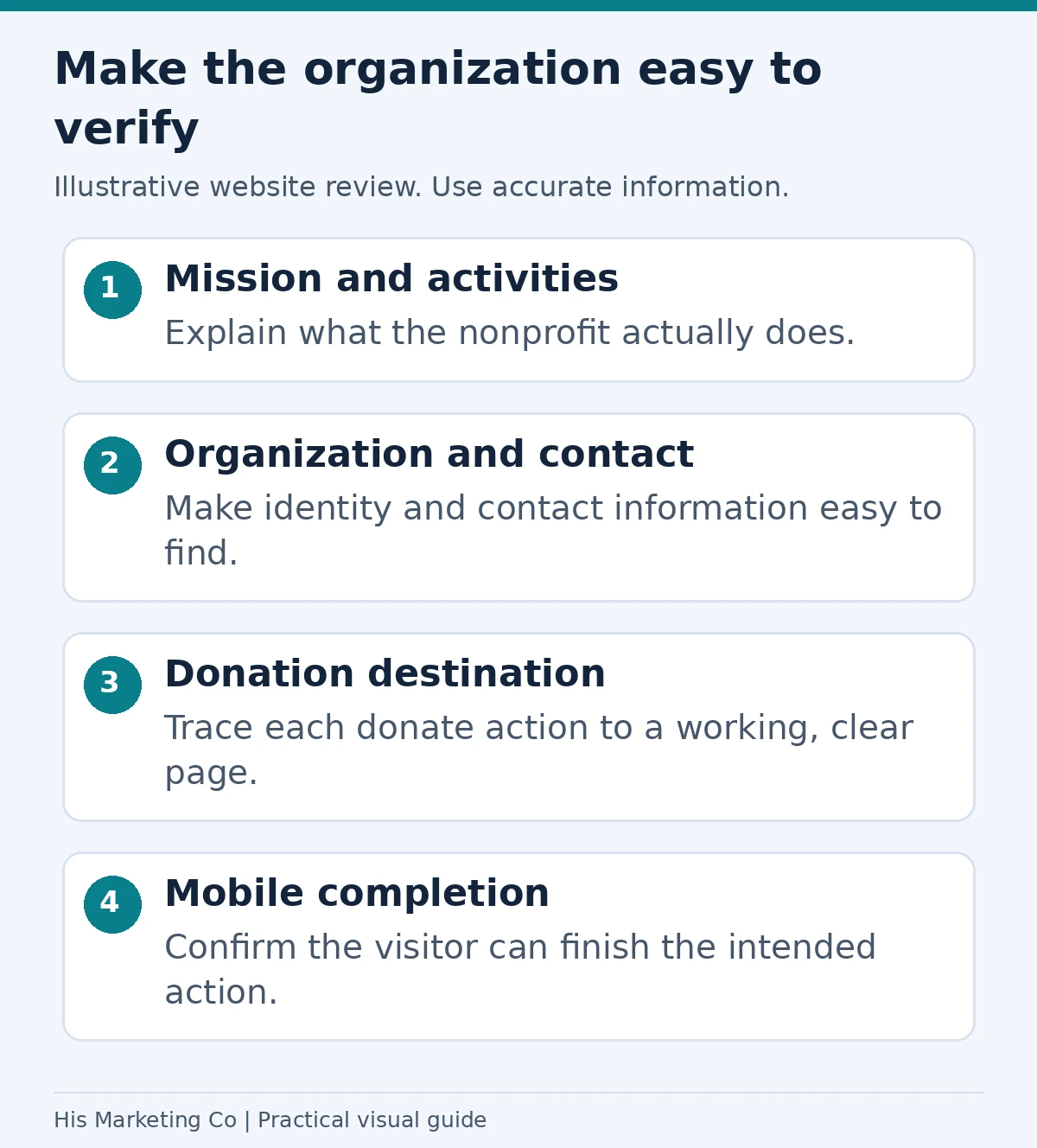
Illustrative website review: make mission, organization details and contact information clear, and test the donation destination on mobile. An external donation processor is not automatically prohibited merely because it is external.
Fix 4: Which technical issues trigger the same Ad Grants rejection?
Three technical problems get the same boilerplate email: missing HTTPS, redirects, and broken links.
- HTTPS everywhere. Google requires the whole site on HTTPS. It calls out expired certificates and "mixed content," where an HTTPS page loads HTTP images or scripts.
- No redirect on the submitted URL. If you submitted yourorg.org and it forwards to www.yourorg.org/home, a Linktree or a Facebook page, resubmit the final URL. If you need a second domain approved, Google reviews additional domains in 3-5 business days.
- Broken links and dead buttons. Google singles out "non-functional elements (especially donation buttons)." Click every link in the header, menu and footer on a phone.
- Content behind a login. If visitors must sign in before they can read about your programs, the reviewer can't see them either.
Fix 5: Could commercial content be the real reason for the Ad Grants rejection?
Yes, if selling looks like the main purpose of the site. Google allows limited commercial activity, such as a museum shop or paid training, but you "must clearly disclose how those proceeds directly support your nonprofit programs." The site also can't run AdSense or exist mainly to send traffic through affiliate links.
A June 2026 case shows the pattern. A professional association selling $35 and $65 courses was rejected for commercial content after waiting three weeks. The advice was to show how sales fund the mission and make sure the arrangement isn't affiliate-style. Put the free resources up front and the paid items one click deeper.
How do you resubmit after a Google Ad Grants rejection?
If you need to revisit the setup process, our Google Ad Grant application guide explains nonprofit verification and the separate activation request.
Fix everything on the list before you resubmit. Google says to audit your site against every requirement in the policy "before resubmitting your activation request for review in your Google for Nonprofits account." Each attempt can take weeks, so don't resubmit after fixing only one thing.
If you've been rejected twice and support only repeats the boilerplate, post your URL in the Google for Nonprofits Community. Product Experts regularly review sites there, and both 2026 threads cited above got specific answers within a day or two.
Once you're approved, a different set of rules applies: a 5% CTR minimum, conversion tracking and keyword quality. Our guide to protecting your 5% CTR with AI Max in Ad Grants covers that stage, and our resources page collects the rest.
Want a second pair of eyes before you resubmit?
His Marketing Co manages Google Ad Grants for nonprofits nationwide, from activation to a full $10K-a-month account. See how we work with nonprofits or book a call and we'll look over your site against the policy.
Methodology. This guide is based on Google's Ad Grants website policy (read September 25, 2026), two Google for Nonprofits Community threads from July and August 2026 with Product Expert answers, and seven rejection cases posted to r/nonprofit, r/PPC and r/googleads between 2024 and 2026. Speed thresholds come from web.dev. We didn't audit the sites mentioned ourselves; each diagnosis is attributed to the person who made it.